How to make a storybook from family photos
Make a storybook from family photos with a six-picture recipe and sample captions. Explore illustrated photo books for invited families and a free sample.
In this post
To make a storybook from family photos, choose one small event, pick about six pictures, put them in order, and add one or two sentences per page. A trip to the park is enough. So is baking something, building a tower, or finding an interesting leaf. The useful ingredient is a detail your child recognizes, not a camera roll full of perfect portraits.
This guide gives you a complete six-picture recipe and ready-to-adapt captions. You can make it with paper or a private document. You’ll also see an edited photo-to-story demonstration and a complete illustrated book. Invited Once Upon Us families can use optional face photos and photos of a day as references for new illustrations.
First, see the idea in sixteen seconds
The film shows the idea of choosing a photo, seeing fictional children become storybook characters, and hearing a page read aloud. This is an edited demonstration using a fictional family. Photo input is available to invited families. Making a new book takes a few minutes; the film is not a real-time recording.
A fictional beach photo transforms into a picture-book page, followed by its narration.
Edited photo demonstration. Photos are available to invited families. Fictional family; making a book takes a few minutes.
Film description & transcript
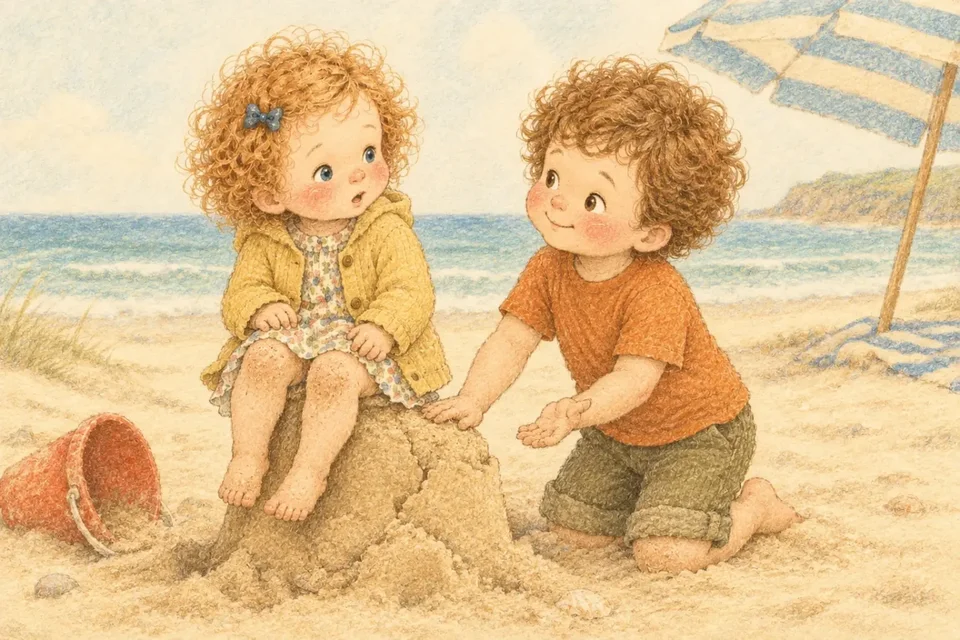
A fictional beach photo transforms into a picture-book page, followed by its narration. Narration: “Scoop, scoop! Pat, pat! Pip and Wren built a sandcastle by the sea. One tower. Two towers. Three!”
The difference between a family photo and a family story is often a sentence. “At the beach” labels a picture. “We built a castle, but the little red crab needed a door” begins a story. Keep that shift in mind as you choose your pictures.
Decide which kind of book you want
Three projects can all be described as a “storybook from photos,” but they lead to different results:
- A photo book with a story. The original photos are the pages. You write captions that connect them. This is the easiest version to make yourself.
- An illustrated story inspired by a day. The pictures show a reimagined adventure. You can describe the day in words without uploading any photographs.
- An illustrated book using photo references. A service uses selected pictures to guide how people look in new art. Check a full sample, the feature’s availability, and the service’s photo-handling details before choosing it.
This recipe works for the first two. The photo story books page explains how invited families can make the third. If you mainly want help choosing a service, start with our AI story and personalized-book checklist.
Choose one little day
Give the book a working title before selecting photos. “The day we found the giant leaf” is easier to build than “Our whole summer.” A narrow title helps you decide what belongs on the next page.
Pick an event with a beginning, a small change, and an ending. You arrived at the park, found a leaf bigger than your hand, and carried it home. Nothing dramatic has to happen. If the day was ordinary, the noticing can be the adventure.
Ask your child what they remember, if they want to join in. Their answer may be completely different from yours. You remember the view; they remember the muddy boot. Write down the phrase they use. That phrase might become your title or the line that repeats through the book.
A six-picture recipe you can copy
Imagine a family outing to collect leaves. These are sample captions for a made-up day; replace them with the details of yours.
Picture 1: We begin
Choose a picture of getting ready or arriving. A pair of boots beside the door can work if you didn’t photograph the start.
Caption: “We put on our boots. Outside, the wind was shaking the trees.”
Give the page one job: establish where the story starts. Save the interesting discovery for the next picture. You don’t need the date, the journey, and everyone who came along in the same sentence.
Picture 2: We notice
Choose the picture where your child is looking closely, pointing, or holding something.
Caption: “Pip found a yellow leaf. It was bigger than Pip’s hand.”
A concrete detail makes the page easy to talk about. Instead of “It was a beautiful autumn day,” show the yellow leaf, the red boot, or the crooked stick. Use your child’s nickname if you’re making a private family version.
Picture 3: Something changes
This can be a tiny surprise: the leaf blows away, a tower leans, or the trail turns a corner. Keep it true for a memory book. For an imaginary adventure, tell your child you’re making up this part.
Caption: “Whoosh! The leaf slipped away and landed beside a puddle.”
If you have no picture of the surprise, use a drawing or a close-up of the setting. A gap in the camera roll doesn’t have to become an invented memory.
Picture 4: We try something
Choose a picture of an action, or draw it together.
Caption: “Pip walked around the puddle and picked up the leaf by its little stem.”
Let the action belong to the child where that reflects what happened. Avoid turning the caption into praise for an achievement that wasn’t part of the day. Simply doing something can carry a story.
Picture 5: We share the discovery
Use a picture of showing someone, making a collection, or putting the found object somewhere special.
Caption: “At home, we laid the leaf on paper. We drew a tiny door beside it.”
This is a good place for the child’s own words: “It looks like a roof!” You can keep the quotation exactly as they said it instead of smoothing it into grown-up language.
Picture 6: We end somewhere familiar
Return to the beginning: boots by the door, a favorite chair, or the finished drawing.
Caption: “Our boots waited by the door. Our leaf waited on the table. Tomorrow, we could look again.”
An ending doesn’t need a moral. It needs somewhere to land. Read the six captions together and check that they sound like one small journey.
Keep the page simple enough to share
For your first version, try one main picture and a short caption on each page. Put text on a plain background instead of across a busy face or patterned shirt. Use large, easy-to-read type. If you print it, check a single page before printing the whole book.
Read it aloud and leave space for pointing. The AAP’s book-sharing guide for ages two and three encourages talking about the pictures and responding to children’s questions. A homemade page gives you plenty to notice together.
Reach Out and Read’s family resources include playful reading ideas such as voices and sounds. Your leaf story might only need one good “whoosh.” You can record yourself reading your own captions if you want a family audio version, or simply read them again tomorrow.
Use the photos you need, and no more
For a first draft, make a small selection rather than sending an entire album to a tool. Check the background for details you don’t want in the finished book, such as a school name, an address, or someone else’s child. For a public version, illustrations of fictional people can keep the idea without publishing family photos.
Before using an online service, read its own account of who can see your uploads, which providers process them, and how deletion works. Once Upon Us explains those details in its privacy policy. The public children on this site are fictional; the films and sample illustrations aren’t photographs of customers’ families.
This recipe is for an ordinary family story. If you’re looking for a formal Social Story or a resource for a specific support need, our social stories guide explains that separate context. Giving a homemade photo book that label doesn’t make it the same thing.
Read a complete illustrated example
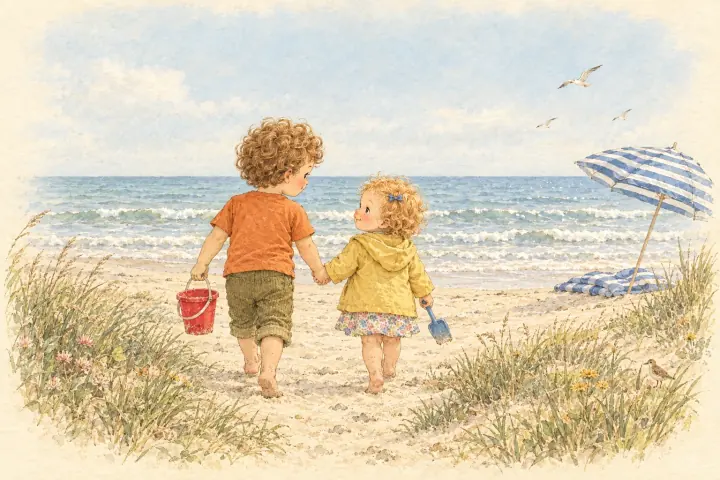
Here is a different little day: Pip and Wren build a sandcastle and make room for a crab. The book is an illustrated fictional sample, not a photo book made from customer uploads. Turn the pages and try the narration to see how a small event can become a complete reading experience.
The whole story · Read & listen
Pip, Wren and the Sandcastle
Two little builders, a red crab, and a sandcastle with room for a new friend.
The end. Their next adventure could star your family. Join free early access →
Free to explore. No sign-in. Fictional children; AI-made words, pictures and narration. Read together at your own pace.
Read the complete story as text
Scoop, scoop! Pat, pat! Pip and Wren built a sandcastle by the sea. One tower. Two towers. Three!
Squish! Wren sat right on the tallest tower. Pip took a big, slow breath. “That's okay. Pat, pat, gentle hands.”
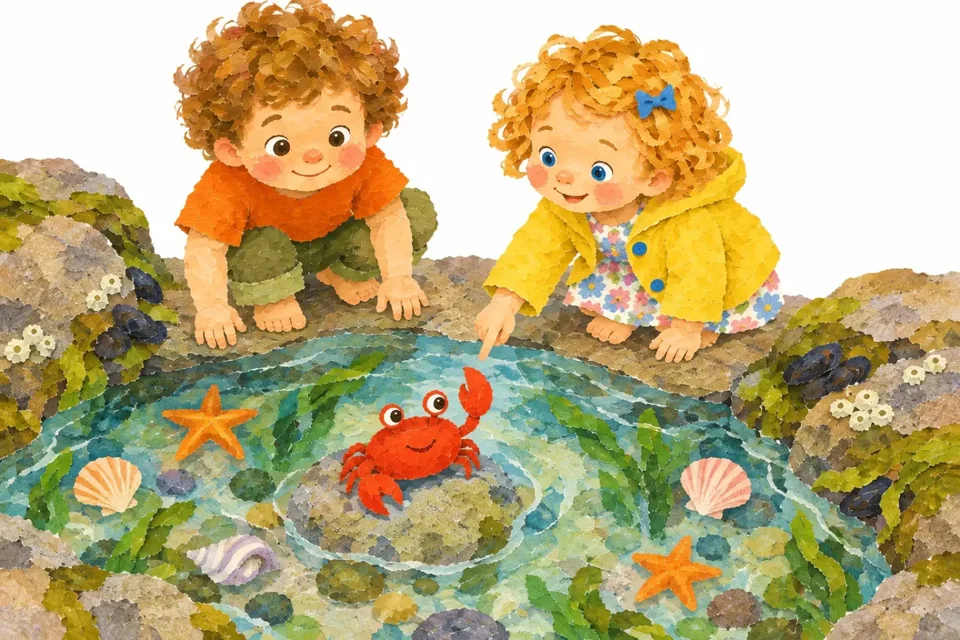
In a tide pool lived a little red crab called Clacky. Clack, clack! Wren reached out slowly. Pat, pat, gentle hands.
Can you wave like Clacky?
Whoosh! A little wave ran up the sand and tickled their toes. Pip and Wren squealed. Splish, splash, whoosh!
The sun went down, pink and gold. Pip carried the red bucket. Wren carried one small shell. Step, step, step, all the way home.
Goodnight, sandcastle. Goodnight, Clacky. Goodnight, little waves. Pat, pat, gentle hands. Shh… Pip and Wren are fast asleep.
Start with words if that is what you have
You can describe the leaf outing without a single upload: “Two siblings find a giant yellow leaf on a walk. A gust blows it beside a puddle. They bring it home and imagine it is a tiny house roof. End at home with boots by the door.” For more starting points, use our AI bedtime story prompts.
Once Upon Us turns written descriptions into illustrated, narrated books for invited families. You can join free early access to try it when your invitation is ready. Or make the six-page photo version today with the pictures you already have. Either way, let the little detail your child remembers lead the story.
Questions parents ask
How many photos do I need for a homemade storybook?
Six is a useful starting point for this recipe, but you can use fewer. Pick one small event and one main idea per page. A drawing or a photo of a favorite object can fill a gap.
Can I upload family photos to Once Upon Us right now?
Yes, if you have an invitation. Add face photos in Family, or photos of your day when making a story. Photos are optional. Public sample books are free to read and listen to without signing in.
Is a photo storybook the same as an illustrated book that looks like my child?
No. A photo storybook places the original photos on the pages. An illustrated likeness uses photos as references for new art. The inputs, results, and handling of photos differ.
Can I make this without an AI tool?
Yes. Put a photo and one or two sentences on each page of a private document, photo album, or handmade book. Your own voice can provide the read-aloud version.